
Frosty fortifications taking shape, an icy companion turning lakes into sliding tracks, and a game client that finally scales its memory allocation automatically: Minecraft Java Edition 26.4 Snapshot 6, released on October 27, 2026, brings a refreshing breeze to the winter development cycle.
Building on the winter additions covered in our look at 26.4 Snapshot 4, which introduced brittle ice and jukebox playlists, Mojang is expanding the builder toolkit this week with Snow Bricks, introducing the Cold Sulfur Cube, and overhauling default Java heap memory allocation for players, as detailed in Mojang’s official announcement. Here is everything you need to know before exploring these additions with friends on your server.
Snow Bricks for your winter fortresses
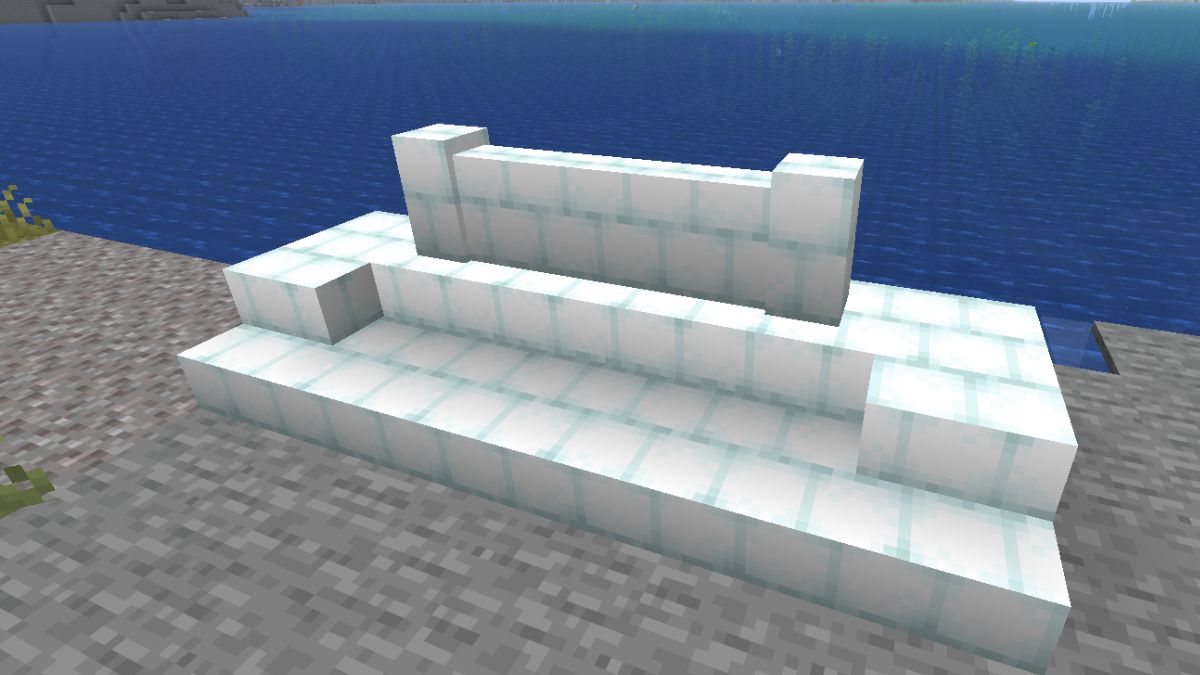
If you have been looking to build a Nordic lodge or a snowy castle without being limited to standard snow blocks, Snapshot 6 delivers with brand-new Snow Bricks.
Crafting them is straightforward right from early-game survival: simply place 4 Snow Blocks in a 2x2 grid in your crafting table. All essential building variants are available right away:
- Snow Brick Slabs for clean rooftops and clear walkways.
- Snow Brick Stairs for fortified stairs and grand entrances.
- Snow Brick Walls to protect your outposts against icy threats.
Keep in mind two crafting and mining details:
- No Stonecutter support: unlike stone or copper, a Stonecutter cannot be used to craft Snow Brick slabs, stairs, or walls. All crafting must be done on a standard Crafting Table.
- A Shovel is required: to mine and collect placed Snow Bricks, you must use a shovel. Silk Touch is not required, but breaking them by hand or with a pickaxe yields nothing.
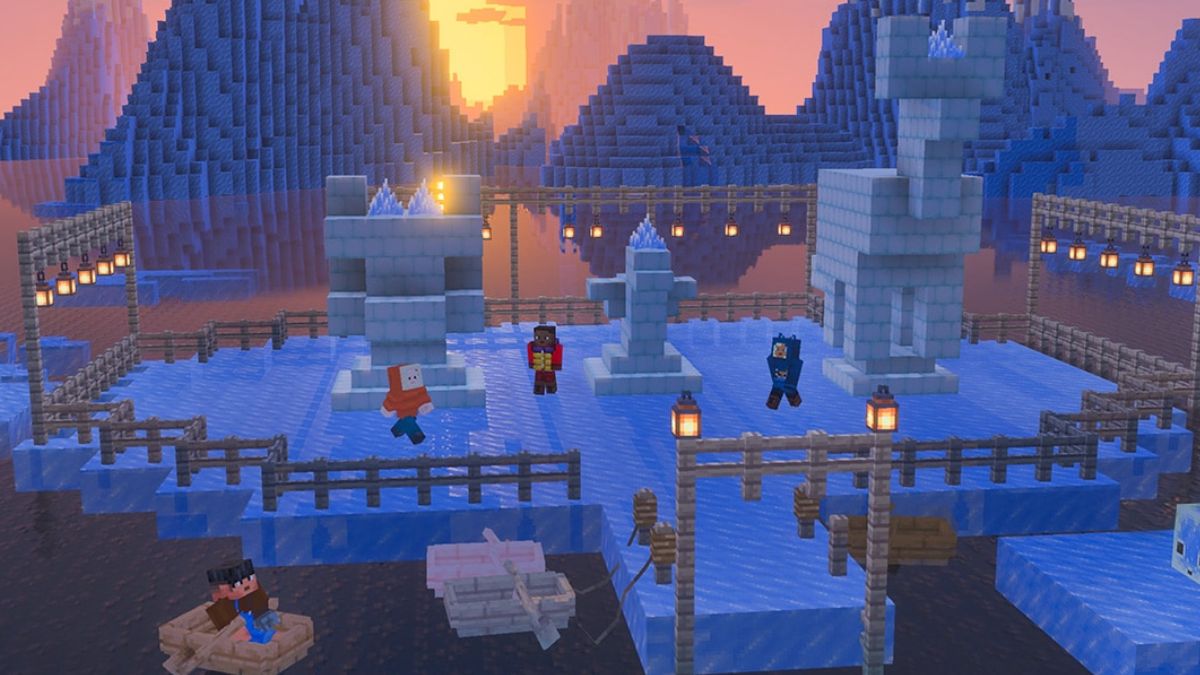
Snow Bricks also belong to the Fast Sliding Sulfur Cube archetype: when a Sulfur Cube absorbs a Snow Brick block, it adopts this high-speed sliding behavior.
Cold Sulfur Cube: a living ice walker on water
Originally introduced in the 26.2 update, Sulfur Cubes are quirky underground mobs that can absorb blocks to gain their traits. Snapshot 6 introduces a special new archetype: the Cold Sulfur Cube.
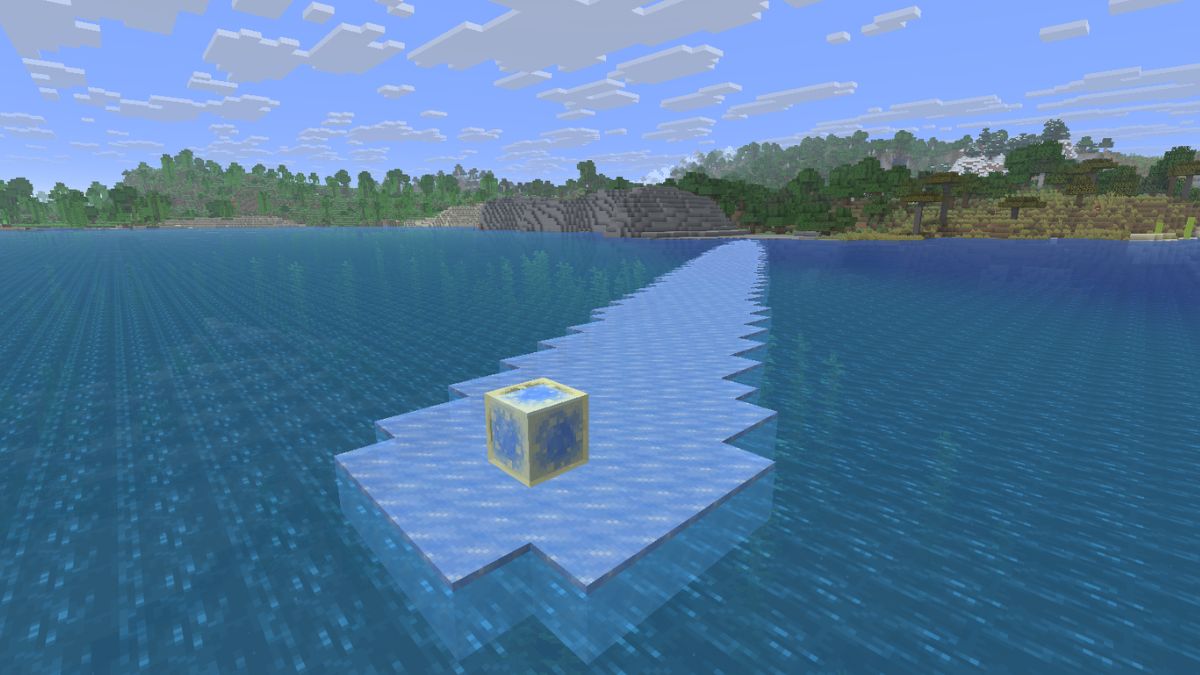
To create this frosty variant, simply let a regular Sulfur Cube absorb a block of Blue Ice. It immediately turns an icy blue and gains unique abilities:
- It maintains the speed and momentum of the Fast Sliding archetype.
- It floats effortlessly on the surface of water.
- As it slides across water, it replaces water blocks beneath it with a disk of Frosted Ice, mirroring the effect of the Frost Walker enchantment.
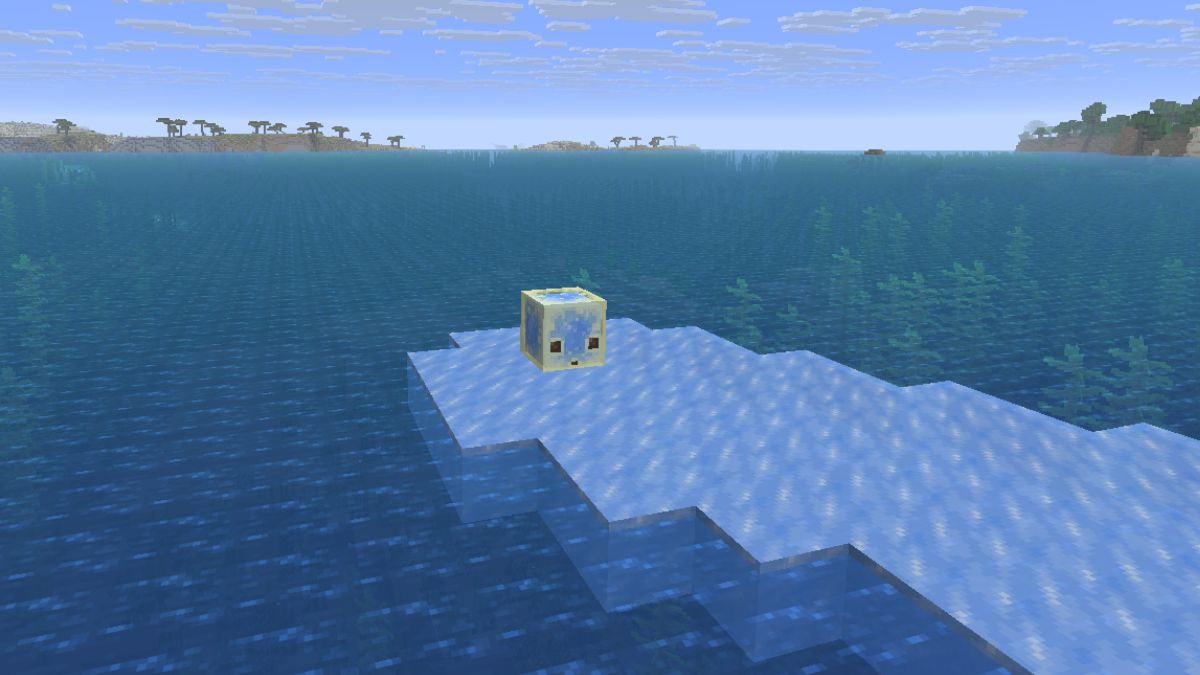
For the frosted ice to form, two conditions must be met: there must be air blocks directly above the water, and the cube must initiate its movement while on solid ground before hitting the water. This opens up amazing possibilities for ice tracks, racing mini-games, and player-made arenas in multiplayer!
Ice crystal sounds, strays, and block balancing
Mojang also rolled out a series of neat balancing tweaks and audio polish:
- Ice Crystal ambience: Ice Crystals now have a chance to play ambient sounds whenever placed directly on top of a Packed Ice block.
- Pickaxe required for packed ice bricks: all packed ice brick variants now strictly require a pickaxe to be collected when mined.
- Strays respect brittle ice: stray skeletons can now safely walk on brittle ice without causing it to crack or shatter under their weight.
- Spawn protection and game rules: in a welcome fix for multiplayer servers, brittle ice can no longer be cracked or destroyed by entities when
/gamerule mob_griefing falseis set, nor broken by players inside the spawn protection zone. - Advancements updated for freezing: the iconic « How Did We Get Here? » and « A Furious Cocktail » advancements now officially require the Freezing effect to be completed.
- Lava fall damage: mobs falling through lava now take slightly reduced fall damage in certain scenarios.
- Technical updates: Data Pack version is now 125.1 (featuring the new
#sulfur_cube_archetype/coldtag andlocation_based_effectssupport) and Resource Pack version is updated to 101.0.
Default Java RAM settings: what changes for players vs servers
One of the most notable technical changes in this snapshot is how Minecraft Java configures its default JVM options.
The game now automatically sets its allocated Java heap size based on your computer’s total installed RAM, using up to 25% of system memory capped at 4 GB.
For individual players on their game client, this is a major quality-of-life upgrade:
- It leaves behind the old default 2 GB limit, which frequently caused stuttering during fast chunk loading or high render distances.
- Players with 16 GB or 32 GB setups automatically get 4 GB of RAM allocated without ever needing to edit JVM arguments in their launcher profiles.
Why a Minecraft server must keep a fixed, dedicated -Xmx allocation
While automatic scaling works well on a personal computer, hosting a multiplayer Minecraft server requires a completely different approach:
- A server manages the whole world, not just a single player’s view: unlike the client, which only renders surrounding chunks, a server processes world generation, redstone ticks, mob AI, automated farms, and simultaneous player actions across all active dimensions.
- Why the « 25% capped at 4 GB » rule fits a PC, not a server: on a desktop computer, that cap leaves headroom for your operating system, graphics driver, and background apps. On a multiplayer server, a flat 4 GB cap would quickly bottleneck growing communities, plugins, or modpacks, while a generic percentage of the host machine would not match your server plan’s true capacity.
- Garbage collection stability: to prevent TPS loss and collective server lag, the Java Virtual Machine needs a predictable
-Xmxmemory ceiling tailored to the server. A dedicated boundary allows the garbage collector to clean up memory smoothly without freezing server ticks. - Reserving space for off-heap memory and OS buffers: on a professional host, a server container’s total memory goes beyond the Java heap. Dedicated margin above
-Xmxmust be reserved for native off-heap allocations, Netty network buffers, operating system cache, and automated backups to prevent sudden Out of Memory (OOM) crashes.
At BoxToPlay, every Minecraft server runs with a dedicated, guaranteed -Xmx setting calibrated specifically for its plan. You can play with total peace of mind knowing your resources are 100% reserved for your adventure.
Testing Snapshot 6 safely with your friends
As with any development snapshot, Mojang reminds players that experimental builds may contain bugs and can corrupt existing worlds. To test these features with your community:
- Always take a full backup of your active server before switching versions.
- Use a separate instance with a fresh world: simply creating a second world inside the same server instance does not isolate your existing worlds or data from a server version change.
- Match your versions on both server and client: make sure the server is running 26.4 Snapshot 6 and that all players enable snapshots in the Installations tab of their Minecraft Launcher to launch that exact same version.
Ready to explore frozen caves and skate alongside the Cold Sulfur Cube? Get your world running today with our dedicated BoxToPlay Minecraft servers!
More Articles
What if you could call your Minecraft server? Your dream is just a call away!
October 28, 2026How to host a Halloween event on your Minecraft server
October 24, 2026Secure Your Minecraft Server Against Unknown Bots
October 21, 2026BoxToPlay Gift Cards: Gift a Game Server for Halloween
October 18, 2026