
Map Direwolf20 Lets Play Season 10
Direwolf20 Lets Play Season 10
Direwolf20 Season 10 Minecraft Map
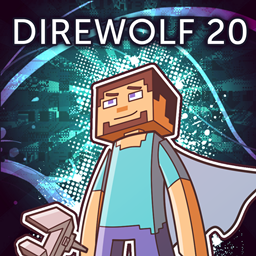
Direwolf20 Lets Play Season 10 is a modded Minecraft map created for the 1.16 series built around the FTB Presents Direwolf20 1.16 pack. It offers snapshots of the same survival world used in the YouTube playthrough, with releases covering progress at regular ten episode intervals and reaching Episode 130 on Minecraft 1.16.5.
Players can explore established bases, machines, automation systems, and technical builds, then study or expand them in their own game. It is a strong choice for a cooperative Minecraft server, and our BoxToPlay experience makes this technical world easy to enjoy with friends.
Available versions
How to add Direwolf20 Lets Play Season 10 as a Minecraft world
Select your version
Select the version of Direwolf20 Lets Play Season 10 you want to use as your Minecraft world.
Check your cart
You go directly to your cart with the Minecraft plan and selected version of Direwolf20 Lets Play Season 10 already included. Check that everything is correct before continuing.
Receive your server
Wait while your Minecraft server is built and delivered. Your selected Direwolf20 Lets Play Season 10 world version is prepared during setup. Once it is ready, connect and have fun.
Ready to play Direwolf20 Lets Play Season 10?
Create your Minecraft server and install the Direwolf20 Lets Play Season 10 map as a new world in one click.