
Add-on ZenXveda Dynamic Lights
ZenXveda Dynamic Lights
ZenXveda Dynamic Lights
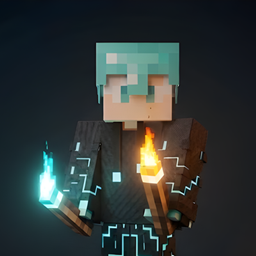
ZenXveda Dynamic Lights is a script based Minecraft Bedrock add on that brings real time illumination to exploration. Hold a torch, lantern, glowstone, sea lantern, end rod, campfire, or another supported light source in your main hand and the area around you lights up as you move. The effect also works in the offhand, keeping your pickaxe or weapon available while mining, fighting, or exploring.
With underwater support and Lite and Pro editions, it suits different devices and play styles. The Pro edition also makes flaming arrows, ghast fireballs, and burning mobs emit light. We recommend it for any Minecraft server seeking a more immersive survival experience, available through BoxToPlay.
Available Versions
How to add ZenXveda Dynamic Lights to your Bedrock server
Select your version
Select the version of ZenXveda Dynamic Lights you want installed on your Minecraft Bedrock server.
Check your cart
You go directly to your cart with the Minecraft Bedrock plan and selected version of ZenXveda Dynamic Lights already included. Check that everything is correct before continuing.
Receive your server
Wait while your Minecraft Bedrock server is built and delivered. Installation of your selected ZenXveda Dynamic Lights version starts during setup. Once it is ready, connect and have fun.
Ready to use ZenXveda Dynamic Lights?
Create your Minecraft Bedrock server and install the ZenXveda Dynamic Lights add-on with one click!