
Add-on Squid Games Npc Trades OP Items!
Squid Games Npc Trades OP Items!
Squid Games NPC Trades OP Items
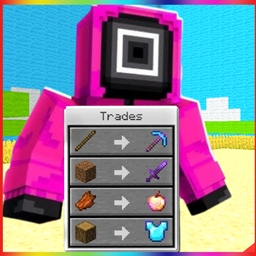
Squid Games NPC Trades OP Items is a Minecraft Bedrock add on that introduces three themed NPCs, Steve, Front Man, and Guard. Their trading system rewards progression, with dirt serving as the main currency. Players must trade in the correct order, Steve, then Front Man, and finally Guard, to unlock increasingly powerful rewards.
Steve offers ore ingots, including iron, gold, diamond, and netherite. Front Man provides custom OP items such as the Wither Sword, Red Light, and Player Chestplate, while Guard offers an M4A1, Bazooka, and Squid Game Apple. At BoxToPlay, this add on can bring a playful power boost to any Minecraft server experience.
Available Versions
How to add Squid Games Npc Trades OP Items! to your Bedrock server
Select your version
Select the version of Squid Games Npc Trades OP Items! you want installed on your Minecraft Bedrock server.
Check your cart
You go directly to your cart with the Minecraft Bedrock plan and selected version of Squid Games Npc Trades OP Items! already included. Check that everything is correct before continuing.
Receive your server
Wait while your Minecraft Bedrock server is built and delivered. Installation of your selected Squid Games Npc Trades OP Items! version starts during setup. Once it is ready, connect and have fun.
Ready to use Squid Games Npc Trades OP Items!?
Create your Minecraft Bedrock server and install the Squid Games Npc Trades OP Items! add-on with one click!