
Add-on Low Fire Texture
Low Fire Texture
Low Fire Texture for Minecraft Bedrock
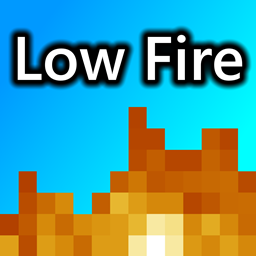
Low Fire Texture is a Minecraft Bedrock resource pack that replaces the standard first person fire overlay with a much shorter, smaller flame design. When your character catches fire, the reduced texture leaves more of the screen visible, making it easier to read the environment, track opponents, place blocks, and react during combat. It is especially useful for PvP, survival, and fast paced situations where the default flames can obstruct your view. The pack changes visuals only, without adding items or altering fire mechanics. At BoxToPlay, we recommend it for any Minecraft server focused on clearer gameplay and more comfortable sessions.
Available Versions
How to add Low Fire Texture to your Bedrock server
Select your version
Select the version of Low Fire Texture you want installed on your Minecraft Bedrock server.
Check your cart
You go directly to your cart with the Minecraft Bedrock plan and selected version of Low Fire Texture already included. Check that everything is correct before continuing.
Receive your server
Wait while your Minecraft Bedrock server is built and delivered. Installation of your selected Low Fire Texture version starts during setup. Once it is ready, connect and have fun.
Ready to use Low Fire Texture?
Create your Minecraft Bedrock server and install the Low Fire Texture add-on with one click!