
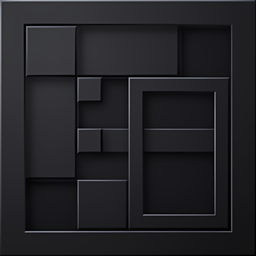
Add-on Clean Dark UI (Amoled)
Clean Dark UI (Amoled)
Clean Dark UI (Amoled) for Minecraft Bedrock
Clean Dark UI (Amoled) is a resource pack that gives Minecraft Bedrock Edition and Pocket Edition a sleek, deep black interface designed for comfortable play on AMOLED screens. It refreshes the pause menu, inventory, containers, chat, HUD, settings, tabs, buttons, sliders, checkboxes, scrollbars, recipe book, and hotbar while preserving Minecraft’s familiar style.
Its minimal layout reduces visual clutter, with white text and cyan accents for clear navigation. Fast Craft and Fast Loot features also make menus more practical during survival sessions or on a multiplayer Minecraft server. At BoxToPlay, we provide a smooth one click server experience for this UI focused pack.
Available Versions
How to add Clean Dark UI (Amoled) to your Bedrock server
Select your version
Select the version of Clean Dark UI (Amoled) you want installed on your Minecraft Bedrock server.
Check your cart
You go directly to your cart with the Minecraft Bedrock plan and selected version of Clean Dark UI (Amoled) already included. Check that everything is correct before continuing.
Receive your server
Wait while your Minecraft Bedrock server is built and delivered. Installation of your selected Clean Dark UI (Amoled) version starts during setup. Once it is ready, connect and have fun.
Ready to use Clean Dark UI (Amoled)?
Create your Minecraft Bedrock server and install the Clean Dark UI (Amoled) add-on with one click!