
Datapack Portfolio - Datapack Version
Portfolio - Datapack Version
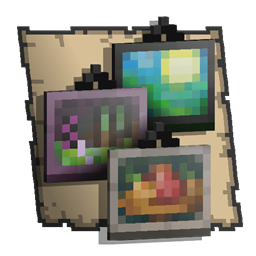
Portfolio, over 100 paintings for Minecraft
Portfolio expands Minecraft Java Edition’s decorative possibilities with a catalogue of more than 100 original paintings created by artist Yapetto. The datapack introduces themed collections such as Still Life, Void Manor, Death, The Far Lands, Elemental, Cloud Cuckoo, and Keeping Up, alongside works including Morning on the Seine, Justice, and Underworld.
Designed for client and server environments, it gives builders a broader visual palette for interiors, galleries, shops, and themed adventures without changing core gameplay. Our BoxToPlay team recommends it for any Minecraft server focused on creative construction, roleplay, or atmosphere.
Available Versions
How to add Portfolio - Datapack Version to your Minecraft world
Select your version
Select the version of Portfolio - Datapack Version you want installed on your Minecraft server.
Check your cart
You go directly to your cart with the Minecraft plan and selected version of Portfolio - Datapack Version already included. Check that everything is correct before continuing.
Receive your server
Wait while your Minecraft server is built and delivered. Installation of your selected Portfolio - Datapack Version version starts during setup. Once it is ready, connect and have fun.
Ready to use Portfolio - Datapack Version?
Create your Minecraft server and install the Portfolio - Datapack Version datapack with one click.