
Map AIO RTX Map
AIO RTX Map
AIO RTX Map, a Minecraft map for visual testing
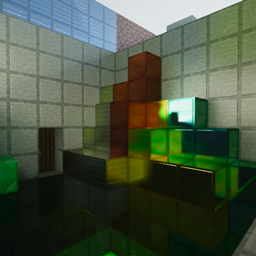
AIO RTX Map is a technical Minecraft map created to examine how PBR materials, shaders, ray traced lighting, reflections, and shadows transform familiar scenes. Rather than offering a conventional adventure, it provides a practical showcase for players, creators, and shader enthusiasts who want to compare visual effects in a controlled environment.
The map brings together three areas: AntVenom’s peaceful landscape with forests, rivers, and villages, a recreation inspired by NVIDIA’s RTX trailer, and a dedicated light testing room for comparing illumination setups. We recommend it for anyone wanting to evaluate a resource pack or shader on a Minecraft server. BoxToPlay makes this visual playground easy to enjoy with automatic one click installation.
Available versions
How to add AIO RTX Map as a Minecraft world
Select your version
Select the version of AIO RTX Map you want to use as your Minecraft world.
Check your cart
You go directly to your cart with the Minecraft plan and selected version of AIO RTX Map already included. Check that everything is correct before continuing.
Receive your server
Wait while your Minecraft server is built and delivered. Your selected AIO RTX Map world version is prepared during setup. Once it is ready, connect and have fun.
Ready to play AIO RTX Map?
Create your Minecraft server and install the AIO RTX Map map as a new world in one click.