
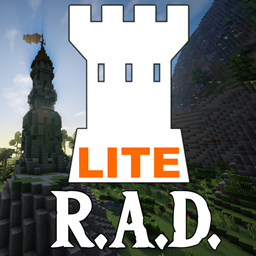
RogueLite Adventures and Dungeons
RogueLite Adventures and Dungeons
RogueLite Adventures and Dungeons
RogueLite Adventures and Dungeons is a lighter version of the Roguelike Adventures and Dungeons modpack, tailored for slow PCs and compatible with Minecraft 1.12.2. It focuses on exploration, dungeons and quests while reducing heavy world generation so adventures stay smooth even on modest hardware. You will travel through iconic dimensions such as Twilight Forest, The Betweenlands, Aether, Atum 2 and Tropicraft, discovering structures, loot and dangerous bosses. Character and gear progression, skill leveling and scaling enemies keep every fight engaging. This makes it an ideal choice if you want an adventure driven Minecraft server experience with streamlined performance, especially when hosted on BoxToPlay.
Available versions
How to add RogueLite Adventures and Dungeons to your Minecraft server
Select your version
Select the version of RogueLite Adventures and Dungeons you want installed on your Minecraft server.
Check your cart
You go directly to your cart with the Minecraft plan and selected version of RogueLite Adventures and Dungeons already included. Check that everything is correct before continuing.
Receive your server
Wait while your Minecraft server is built and delivered. Installation of your selected RogueLite Adventures and Dungeons version starts during setup. Once it is ready, connect and have fun.
Ready to install RogueLite Adventures and Dungeons on your own Minecraft Server?
Create your server and install RogueLite Adventures and Dungeons with one click!