
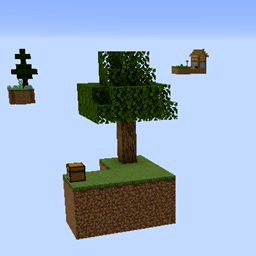
Map SkyBiome - Skyblock for The Nether Update
SkyBiome - Skyblock for The Nether Update
SkyBiome, A Nether Update Skyblock Minecraft Map
SkyBiome is a survival Minecraft map inspired by the classic Skyblock formula and designed around content from the Nether Update in Minecraft 1.16. The nearly empty Overworld contains 29 floating islands, each built around a distinct biome, with themed loot that generally reflects its surroundings.
Start with basic resources, create a cobblestone generator, grow a farm, explore distant islands, enter the Nether, and work toward defeating the Ender Dragon. A challenge spreadsheet adds structure to progression, making SkyBiome a strong choice for a cooperative Minecraft server. At BoxToPlay, our one click setup makes the map easy to enjoy.
Available versions
How to add SkyBiome - Skyblock for The Nether Update as a Minecraft world
Select your version
Select the version of SkyBiome - Skyblock for The Nether Update you want to use as your Minecraft world.
Check your cart
You go directly to your cart with the Minecraft plan and selected version of SkyBiome - Skyblock for The Nether Update already included. Check that everything is correct before continuing.
Receive your server
Wait while your Minecraft server is built and delivered. Your selected SkyBiome - Skyblock for The Nether Update world version is prepared during setup. Once it is ready, connect and have fun.
Ready to play SkyBiome - Skyblock for The Nether Update?
Create your Minecraft server and install the SkyBiome - Skyblock for The Nether Update map as a new world in one click.