
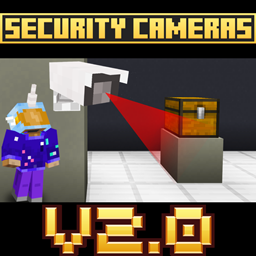
Add-on Security Cameras
Security Cameras
Security Cameras, a surveillance add on for Minecraft Bedrock
This Minecraft Bedrock add on turns your base or Minecraft server into a practical surveillance hub. Place camera blocks around important areas, give them names, and choose between controllable views or fixed cameras aimed at selected coordinates. A special tablet opens the camera menu, lets you switch between live feeds, and supports public or private access.
It is useful for protecting bases, observing farms, managing multiplayer areas, or creating spy missions and roleplay scenarios. Camera management includes renaming, deleting, and access control, with an option to restrict changes to Creative mode. At BoxToPlay, we recommend it for more interactive security and administration.
Available Versions
How to add Security Cameras to your Bedrock server
Select your version
Select the version of Security Cameras you want installed on your Minecraft Bedrock server.
Check your cart
You go directly to your cart with the Minecraft Bedrock plan and selected version of Security Cameras already included. Check that everything is correct before continuing.
Receive your server
Wait while your Minecraft Bedrock server is built and delivered. Installation of your selected Security Cameras version starts during setup. Once it is ready, connect and have fun.
Ready to use Security Cameras?
Create your Minecraft Bedrock server and install the Security Cameras add-on with one click!