
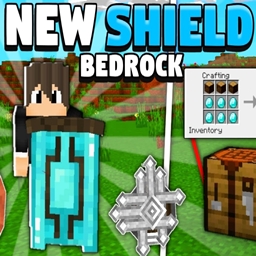
Add-on New Shields Reboot
New Shields Reboot
New Shields Reboot for Minecraft Bedrock
New Shields Reboot is a Minecraft Bedrock addon that expands defensive equipment with four shield variants made from iron, copper, diamond, and netherite. Each shield features a distinct 3D model, giving your character a more detailed appearance while adding greater variety to survival, exploration, and combat.
Durability ranges from 300 for the iron and copper shields to 500 for diamond and 600 for netherite, creating a clear progression between materials. The addon includes behavior and resource pack components and is designed to work alongside other addons, making it a practical choice for a customized Minecraft server. At BoxToPlay, we recommend it for players seeking richer protection without changing the core gameplay.
Available Versions
How to add New Shields Reboot to your Bedrock server
Select your version
Select the version of New Shields Reboot you want installed on your Minecraft Bedrock server.
Check your cart
You go directly to your cart with the Minecraft Bedrock plan and selected version of New Shields Reboot already included. Check that everything is correct before continuing.
Receive your server
Wait while your Minecraft Bedrock server is built and delivered. Installation of your selected New Shields Reboot version starts during setup. Once it is ready, connect and have fun.
Ready to use New Shields Reboot?
Create your Minecraft Bedrock server and install the New Shields Reboot add-on with one click!