
Add-on More Tree Variants
More Tree Variants
More Tree Variants
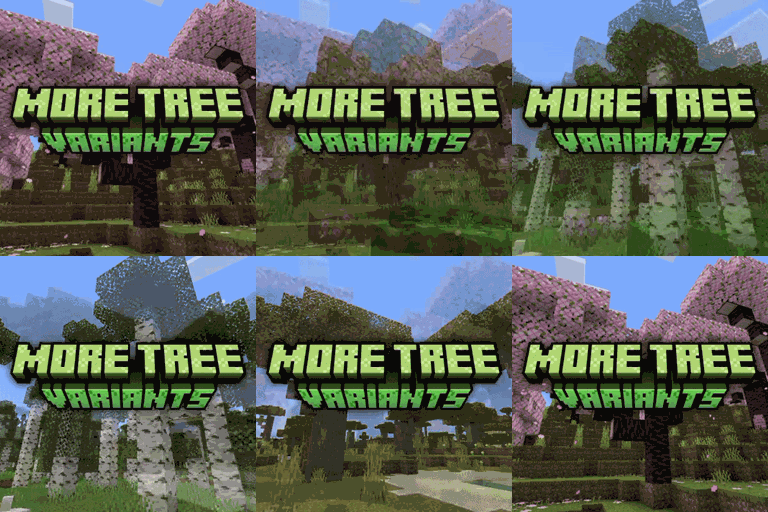
More Tree Variants is a Minecraft Bedrock add on that reshapes vanilla tree generation to make forests feel more natural and wild. Instead of adding new wood types or blocks, it gives familiar oak, spruce, birch, jungle, acacia, dark oak, azalea, mangrove, and cherry trees a broader range of forms, including small, large, tall, branched, bent, mega, and bush like shapes.
Three selectable options let you choose default, taller, or super tall variants while keeping the experience close to vanilla. The behavior pack suits survival, building, and a Minecraft server. At BoxToPlay, we recommend it for worlds that need more visual variety without changing core gameplay.
Available Versions
How to add More Tree Variants to your Bedrock server
Select your version
Select the version of More Tree Variants you want installed on your Minecraft Bedrock server.
Check your cart
You go directly to your cart with the Minecraft Bedrock plan and selected version of More Tree Variants already included. Check that everything is correct before continuing.
Receive your server
Wait while your Minecraft Bedrock server is built and delivered. Installation of your selected More Tree Variants version starts during setup. Once it is ready, connect and have fun.
Ready to use More Tree Variants?
Create your Minecraft Bedrock server and install the More Tree Variants add-on with one click!