
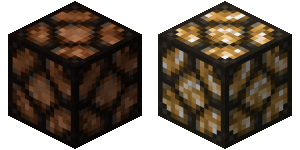
Plugin Streetlights Advanced
Streetlights Advanced
Streetlights Advanced, automatic night lighting
Streetlights Advanced is a Bukkit and Spigot plugin that brings realistic nighttime illumination to streets, parks, houses, and entire cities on a Minecraft server. Formerly known as WurmStreetlights, it replaces cumbersome redstone wiring with lamps that react automatically to sunset and sunrise. Its published builds target server versions from 1.8 through 1.11.
Players can create several lamp styles, including redstone lamps, torches, pumpkins, sea lanterns, end rods, and fireplaces, then switch them manually when needed or return to automatic mode. Multiworld support, saved light setups, configurable activation levels, and improved stability make it practical for detailed builds. At BoxToPlay, we recommend it for servers seeking atmosphere, visibility, and believable urban environments.
Available Versions
How to add Streetlights Advanced to your Minecraft server
Select your version
Select the version of Streetlights Advanced you want installed on your Minecraft server.
Check your cart
You go directly to your cart with the Minecraft plan and selected version of Streetlights Advanced already included. Check that everything is correct before continuing.
Receive your server
Wait while your Minecraft server is built and delivered. Installation of your selected Streetlights Advanced version starts during setup. Once it is ready, connect and have fun.
Ready to use Streetlights Advanced?
Create your Minecraft server and install the Streetlights Advanced plugin with one click!