
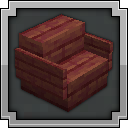
Datapack Sit Anywhere!
Sit Anywhere!
Sit Anywhere! Minecraft datapack
Sit Anywhere! is a lightweight Minecraft datapack that lets players sit in a natural, roleplay friendly way. On a Minecraft server, you can look down, double tap sneak, then right click to sit, or use /trigger sit for a faster option. It also works on stairs and slabs, making it easy to fit into builds and social spaces.
Designed for vanilla servers and other setups, it adds a simple seating mechanic without changing the core game. With BoxToPlay, it is an easy fit for communities that want more immersion and a smoother player experience.
Available Versions
How to add Sit Anywhere! to your Minecraft world
Select your version
Select the version of Sit Anywhere! you want installed on your Minecraft server.
Check your cart
You go directly to your cart with the Minecraft plan and selected version of Sit Anywhere! already included. Check that everything is correct before continuing.
Receive your server
Wait while your Minecraft server is built and delivered. Installation of your selected Sit Anywhere! version starts during setup. Once it is ready, connect and have fun.
Ready to use Sit Anywhere!?
Create your Minecraft server and install the Sit Anywhere! datapack with one click.