
Plugin SignColours
SignColours
SignColours, colourful signs for Minecraft servers
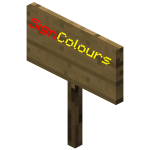
SignColours is a lightweight Bukkit plugin that lets players add coloured text to signs on a Minecraft server. Depending on the edition, users enter a # or & colour code followed by a hexadecimal character from 0 to f, changing the colour of the rest of that line. A code used elsewhere keeps its symbol visible, so ordinary signs remain unaffected.
The plugin supports Bukkit Permissions, including access to individual colours or all colours, and its version 1.5 also adds formatting such as bold, strikethrough, underline, italics, and reset. With no commands and a simple design, SignColours is a nostalgic utility for clearer warnings, labels, shops, and decorative builds. At BoxToPlay, we see it as a small touch that makes a classic Minecraft server more readable.
Available Versions
How to add SignColours to your Minecraft server
Select your version
Select the version of SignColours you want installed on your Minecraft server.
Check your cart
You go directly to your cart with the Minecraft plan and selected version of SignColours already included. Check that everything is correct before continuing.
Receive your server
Wait while your Minecraft server is built and delivered. Installation of your selected SignColours version starts during setup. Once it is ready, connect and have fun.
Ready to use SignColours?
Create your Minecraft server and install the SignColours plugin with one click!