
Plugin Colored Signs
Colored Signs
Colored Signs, Easy Sign Editing for Minecraft Servers
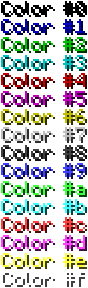
Colored Signs is a lightweight Java plugin for Spigot based Minecraft servers that lets authorized players add colorful, formatted text to signs. It uses familiar ampersand codes for standard colors and formatting, while versions supporting Minecraft 1.16 and later can also use hexadecimal colors for more precise designs.
On compatible versions, the in game sign editor allows players to modify existing signs by sneaking and right clicking them. Permissions can control access to colors, formatting, hexadecimal codes, and editing features. At BoxToPlay, we recommend it for improving navigation, shops, information boards, and visual organization across your Minecraft server.
Available Versions
How to add Colored Signs to your Minecraft server
Select your version
Select the version of Colored Signs you want installed on your Minecraft server.
Check your cart
You go directly to your cart with the Minecraft plan and selected version of Colored Signs already included. Check that everything is correct before continuing.
Receive your server
Wait while your Minecraft server is built and delivered. Installation of your selected Colored Signs version starts during setup. Once it is ready, connect and have fun.
Ready to use Colored Signs?
Create your Minecraft server and install the Colored Signs plugin with one click!