
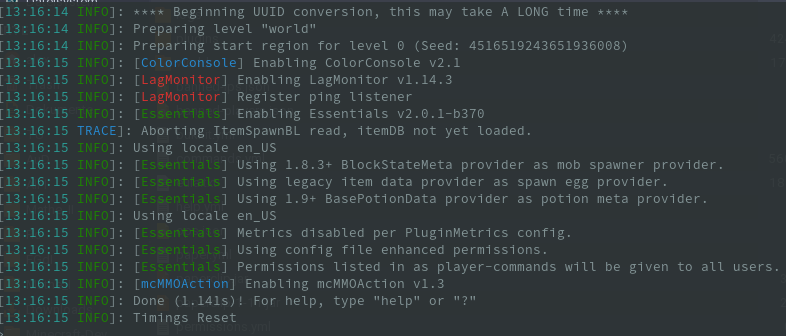
Plugin ColorConsole
ColorConsole
ColorConsole
ColorConsole is a lightweight Minecraft server plugin that adds color to console messages according to their logging level. Errors can stand out in red, while other notices receive distinct shades, making administration and troubleshooting easier at a glance.
Its configuration supports custom log formats, colored plugin tags, ignored messages, and the option to remove colors from selected plugins. Open source and compatible with Spigot, Paper, BungeeCord, Waterfall, and SpongeForge, it suits server networks as well as individual Java servers. At BoxToPlay, we recommend it for a clearer, more organized management console.
Available Versions
How to add ColorConsole to your Minecraft server
Select your version
Select the version of ColorConsole you want installed on your Minecraft server.
Check your cart
You go directly to your cart with the Minecraft plan and selected version of ColorConsole already included. Check that everything is correct before continuing.
Receive your server
Wait while your Minecraft server is built and delivered. Installation of your selected ColorConsole version starts during setup. Once it is ready, connect and have fun.
Ready to use ColorConsole?
Create your Minecraft server and install the ColorConsole plugin with one click!