
Datapack Armor Stand Arms
Armor Stand Arms
Armor Stand Arms, expressive displays for Minecraft servers
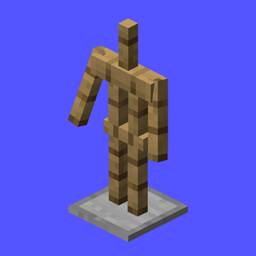
Armor Stand Arms is a Minecraft Java Edition datapack that gives every newly placed armor stand visible arms by default. This simple change makes it easier to display tools, weapons, shields, banners, and detailed character poses in builds, shops, museums, and adventure areas.
On compatible versions, shift right clicking an armor stand toggles its arms on or off, while optional settings and commands let you manage the feature globally. Designed for server side use, it adds practical decoration options without changing the core game. At BoxToPlay, we recommend it for creators who want more expressive showcases on their Minecraft server.
Available Versions
How to add Armor Stand Arms to your Minecraft world
Select your version
Select the version of Armor Stand Arms you want installed on your Minecraft server.
Check your cart
You go directly to your cart with the Minecraft plan and selected version of Armor Stand Arms already included. Check that everything is correct before continuing.
Receive your server
Wait while your Minecraft server is built and delivered. Installation of your selected Armor Stand Arms version starts during setup. Once it is ready, connect and have fun.
Ready to use Armor Stand Arms?
Create your Minecraft server and install the Armor Stand Arms datapack with one click.