
Plugin ListChatColors
ListChatColors
ListChatColors, a practical color reference plugin
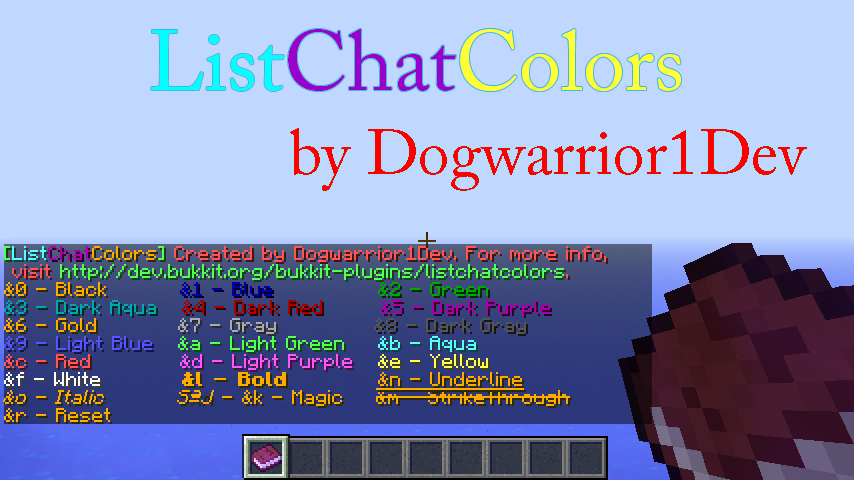
ListChatColors is a small Bukkit plugin that gives players an instant reference for Minecraft chat color codes directly on a Minecraft server. With /listchatcolors or its /lcc alias, it displays available codes and names, while a search option helps players find a specific color quickly.
Players can also request a portable book through /listchatcolorsbook or /lccb, or consult a sign marked [lcc]. Separate permissions control access to lists, searches, books, and signs, while no configuration is required. At BoxToPlay, we see it as a simple utility for making colored chat and signs easier to manage.
Available Versions
How to add ListChatColors to your Minecraft server
Select your version
Select the version of ListChatColors you want installed on your Minecraft server.
Check your cart
You go directly to your cart with the Minecraft plan and selected version of ListChatColors already included. Check that everything is correct before continuing.
Receive your server
Wait while your Minecraft server is built and delivered. Installation of your selected ListChatColors version starts during setup. Once it is ready, connect and have fun.
Ready to use ListChatColors?
Create your Minecraft server and install the ListChatColors plugin with one click!