
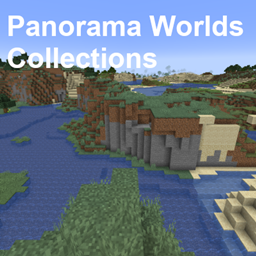
Map Panorama Worlds Collections
Panorama Worlds Collections
Panorama Worlds Collections, classic Minecraft scenes
Panorama Worlds Collections is a Minecraft map collection that recreates the iconic worlds shown in Minecraft’s title screen panoramas, together with the famous pack.png landscape. It preserves memorable environments from the Beta era and later menu backgrounds, giving players a chance to explore the scenery behind familiar images rather than viewing it only as a backdrop.
The project includes releases adapted across numerous Java Edition versions, from 1.2.5 through modern versions, with converted files intended to keep the experience accessible on different server setups. At BoxToPlay, we present it as a nostalgic exploration map for a Minecraft server, ideal for sightseeing, screenshots, and shared historical discovery.
Available versions
How to add Panorama Worlds Collections as a Minecraft world
Select your version
Select the version of Panorama Worlds Collections you want to use as your Minecraft world.
Check your cart
You go directly to your cart with the Minecraft plan and selected version of Panorama Worlds Collections already included. Check that everything is correct before continuing.
Receive your server
Wait while your Minecraft server is built and delivered. Your selected Panorama Worlds Collections world version is prepared during setup. Once it is ready, connect and have fun.
Ready to play Panorama Worlds Collections?
Create your Minecraft server and install the Panorama Worlds Collections map as a new world in one click.