
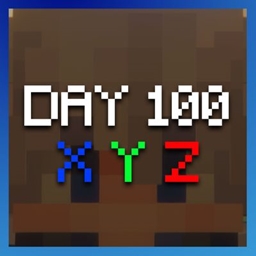
Datapack Day counter and coordinates
Day counter and coordinates
Day Counter and Coordinates HUD
This lightweight Minecraft datapack adds a practical HUD above the hotbar, showing the current world day together with your real time X, Y, and Z coordinates. The day value follows Minecraft’s world time and matches the number shown in the F3 debug screen, making it useful for survival milestones, hardcore challenges, and long term projects.
Information updates automatically during play and after sleeping, without opening the debug menu or interrupting exploration. It works on existing Java worlds and suits a multiplayer Minecraft server, helping players navigate, record locations, and track progress. At BoxToPlay, we recommend it for a cleaner, more convenient survival experience.
Available Versions
How to add Day counter and coordinates to your Minecraft world
Select your version
Select the version of Day counter and coordinates you want installed on your Minecraft server.
Check your cart
You go directly to your cart with the Minecraft plan and selected version of Day counter and coordinates already included. Check that everything is correct before continuing.
Receive your server
Wait while your Minecraft server is built and delivered. Installation of your selected Day counter and coordinates version starts during setup. Once it is ready, connect and have fun.
Ready to use Day counter and coordinates?
Create your Minecraft server and install the Day counter and coordinates datapack with one click.