
CurseForge Minecraft maps
 Adventure
 Creation
 Game Map
 Survival
 Puzzle
 Parkour
 Modded World



Biodomes map
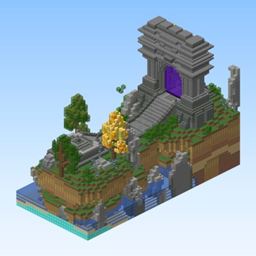
Biodomes Minecraft Map Explore a striking Minecraft map built around enclosed biodomes, each offering a distinct environment to discover and inhabit. Forest, Nether, ocean, and desert themes create varied spaces for shelter, resource gathering, farming, and creative construction. Your objective is simple: find a dome that suits your play style, turn it into a home, and learn how to survive within its boundaries. The unusual layout encourages careful planning and imaginative base design. It works well for solo adventures or a shared Minecraft server, where players can claim different habitats and build a connected community. At BoxToPlay, we recommend it for relaxed exploration with a memorable visual concept.


Learn To Jump! (parkour map)
Learn To Jump Minecraft Map Learn To Jump is a parkour focused Minecraft map built to test timing, precision, and movement control. Designed as an epic parkour challenge, it gives players a clear route of jumps that steadily push reaction speed and consistency. It is a good fit for solo practice or a server event on a Minecraft server, especially when you want a short but engaging challenge. At BoxToPlay, we see it as a simple way to add competitive fun, skill training, and replayable parkour gameplay.


Hierarchy
Hierarchy, a MOBA Minecraft map Hierarchy is a multiplayer PvP Minecraft map by Gunivers that brings the structure of a MOBA into Minecraft. Designed for at least two players and compatible with Minecraft 1.16.5, it lets teams choose among 24 heroes, each with distinct spells and combinations. Four arenas, including Arena, Ruins, River, and Infection, support varied tactical encounters. Players reduce the opposing team’s tickets through five modes, including Conquest, Capture the Flag, Deathmatch, and elimination focused variants. Turrets, inhibitors, jungles, a potion shop, mana management, strategic messages, and a return mechanic reward coordination over simple clicking. On a Minecraft server, our BoxToPlay team recommends it for organized group sessions and competitive custom gameplay.




Ready to launch a new world?
Create your Minecraft server and install a CurseForge map as a new world from the panel.
Create my server