
Plugin OnSign
OnSign
OnSign, player information on signs
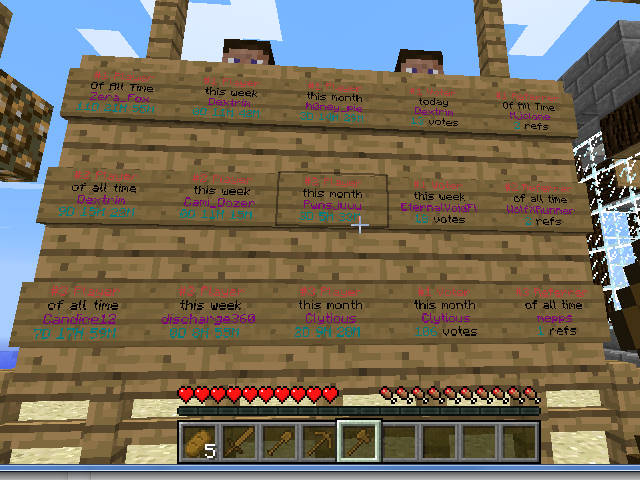
OnSign is a Bukkit plugin that works with OnTime to display player information through configurable signs on a Minecraft server. Administrators can show a player’s online, offline, or AFK status, last login details, and playtime totals for the day, week, month, or entire server history.
It can also create updated top player displays for playtime, votes, referrals, or loyalty points, plus interactive signs connected to OnTime rewards. With its clear, in game presentation, our BoxToPlay team recommends OnSign for communities that want visible activity tracking and convenient reward access without relying only on commands.
Available Versions
How to add OnSign to your Minecraft server
Select your version
Select the version of OnSign you want installed on your Minecraft server.
Check your cart
You go directly to your cart with the Minecraft plan and selected version of OnSign already included. Check that everything is correct before continuing.
Receive your server
Wait while your Minecraft server is built and delivered. Installation of your selected OnSign version starts during setup. Once it is ready, connect and have fun.
Ready to use OnSign?
Create your Minecraft server and install the OnSign plugin with one click!