
Plugin CreateYourOwnMenus
CreateYourOwnMenus
CreateYourOwnMenus, interactive menus for Minecraft servers
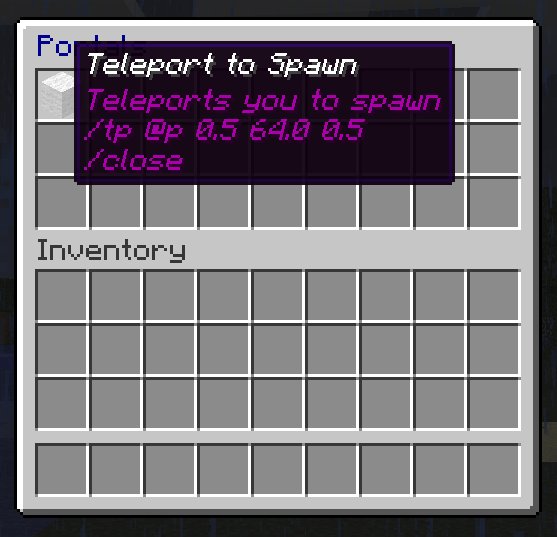
CreateYourOwnMenus is a Bukkit plugin that lets server administrators build inventory based menus directly in Minecraft. Each slot can contain a clickable item, with its name and lore used to present information and associate actions. When a player selects an item, the plugin executes a sequence of commands, much like a compact command block interface.
Menus can be created, edited, copied, opened, and linked through commands, command blocks, or other menus. Administrators can add delays, prompts with dynamic arguments, player executed commands, and optional Vault currency checks. Scripts remain straightforward rather than becoming a full programming language, making the plugin useful for navigation, shops, teleport hubs, and server tools. BoxToPlay makes this experience easy to add to a Minecraft server.
Available Versions
How to add CreateYourOwnMenus to your Minecraft server
Select your version
Select the version of CreateYourOwnMenus you want installed on your Minecraft server.
Check your cart
You go directly to your cart with the Minecraft plan and selected version of CreateYourOwnMenus already included. Check that everything is correct before continuing.
Receive your server
Wait while your Minecraft server is built and delivered. Installation of your selected CreateYourOwnMenus version starts during setup. Once it is ready, connect and have fun.
Ready to use CreateYourOwnMenus?
Create your Minecraft server and install the CreateYourOwnMenus plugin with one click!