
Add-on OneTouch Essentials
OneTouch Essentials
OneTouch Essentials, faster Bedrock survival
OneTouch Essentials is a Minecraft Bedrock add on designed to simplify everyday survival on a Minecraft server. Its one touch interactions speed up villager trading and crafting while reducing repetitive actions during routine play.
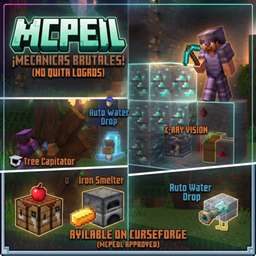
The pack combines practical utilities, including automatic armor and Totem of Undying equipment, emergency water placement, vein mining, tree cutting, a saturation display, and an improved villager trade interface. A control book lets players manage features in game, while the craftable Xray Tome helps locate ores and structures temporarily. At BoxToPlay, we recommend it for players seeking a smoother survival experience without changing Minecraft’s core identity.
Available Versions
How to add OneTouch Essentials to your Bedrock server
Select your version
Select the version of OneTouch Essentials you want installed on your Minecraft Bedrock server.
Check your cart
You go directly to your cart with the Minecraft Bedrock plan and selected version of OneTouch Essentials already included. Check that everything is correct before continuing.
Receive your server
Wait while your Minecraft Bedrock server is built and delivered. Installation of your selected OneTouch Essentials version starts during setup. Once it is ready, connect and have fun.
Ready to use OneTouch Essentials?
Create your Minecraft Bedrock server and install the OneTouch Essentials add-on with one click!