
Plugin oLL's Server GUI
oLL's Server GUI
oLL’s Server GUI for Minecraft server administration
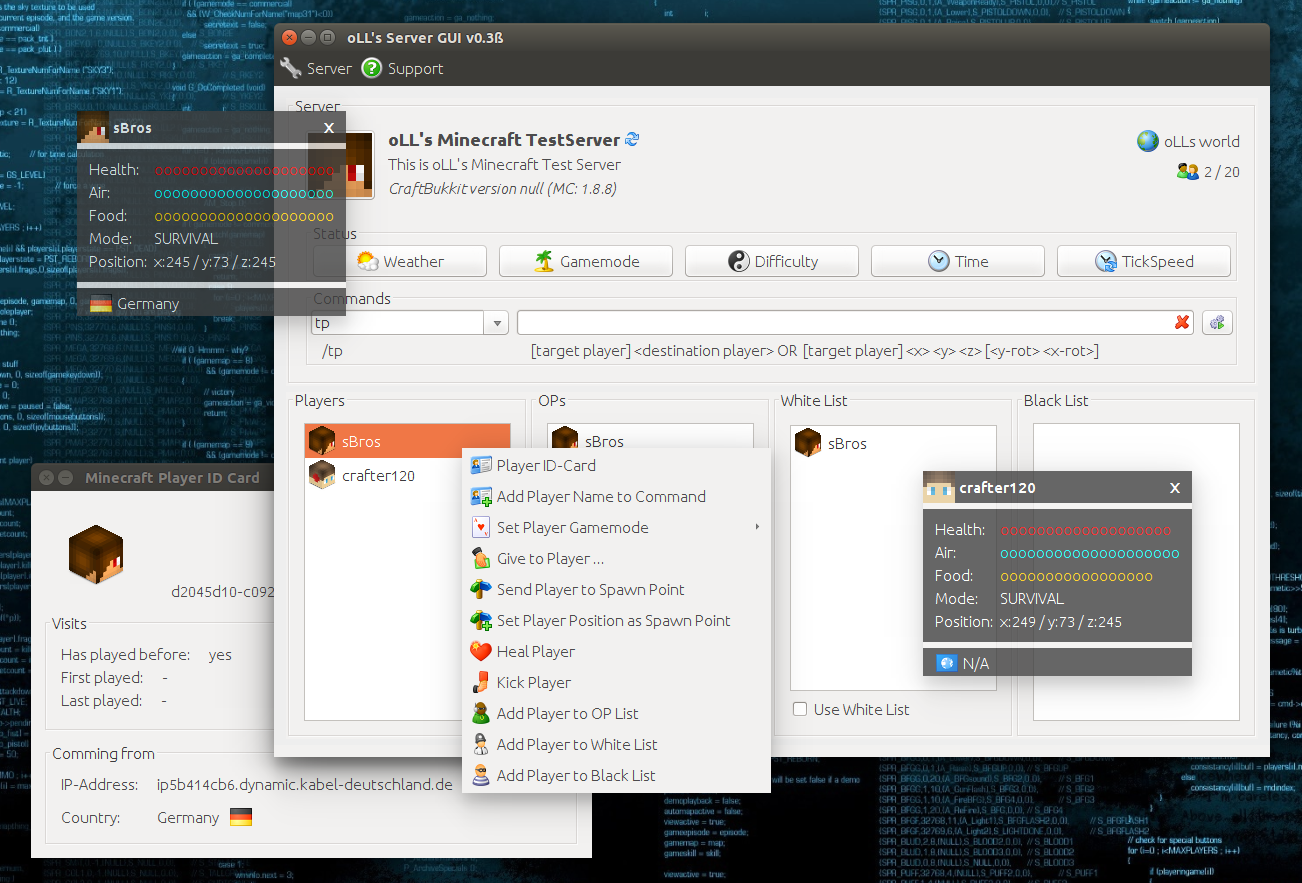
oLL’s Server GUI is a desktop graphical administration tool for Bukkit and Spigot servers, designed to simplify everyday management on Windows, Linux, and OS X. Its interface brings server information, player controls, commands, permissions, teams, and worlds together in one place, making routine tasks easier to review and perform.
Administrators can manage plugins, create or remove worlds, make ZIP backups, change weather, difficulty, game mode, time, tick speed, and whitelist settings, then stop or restart the server. Player tools include teleportation, healing, moderation, inventory giving, visibility controls, and operator management. A small web server also displays online players and location details. At BoxToPlay, we present it as a practical legacy tool for Minecraft server administration, built for Minecraft 1.8.
Available Versions
How to add oLL's Server GUI to your Minecraft server
Select your version
Select the version of oLL's Server GUI you want installed on your Minecraft server.
Check your cart
You go directly to your cart with the Minecraft plan and selected version of oLL's Server GUI already included. Check that everything is correct before continuing.
Receive your server
Wait while your Minecraft server is built and delivered. Installation of your selected oLL's Server GUI version starts during setup. Once it is ready, connect and have fun.
Ready to use oLL's Server GUI?
Create your Minecraft server and install the oLL's Server GUI plugin with one click!